
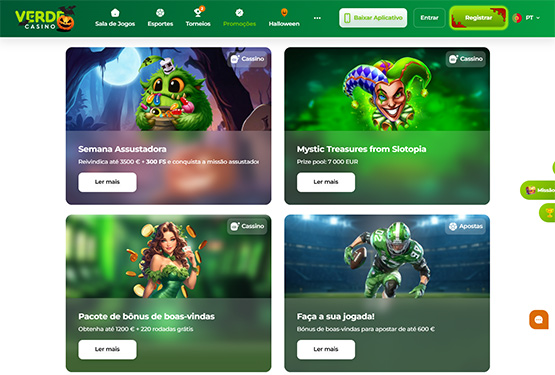
Restoring access to a Verde Casino account in Poland need not be a difficult process. When a player forgets a password, forgotten a username, or encountered a security lock, a defined recovery path can be found. This guide walks through every step, from initial sign-up and document verification to password resets and two-factor authentication recovery. It also describes how to bolster account security after access is restored. All information is based on the standard procedures observed on the Verde Casino platform and reflects the typical requirements for players situated in Poland.
Recovering a Misplaced Username or Email Address
Checking Account-Related Emails
If a player cannot remember which email address was used to register, the password reset tool is not useful. The first logical step is to search all active email inboxes for messages from Verde Casino. A welcome email, deposit confirmation, or promotional message will contain the recipient address in the header. Even an old newsletter can show the correct account sport.rp.pl email. Checking the trash and archive folders is just as crucial, as automated filters may have moved older casino emails.
Players who use email forwarding or aliases should check the original mailbox as well. Sometimes a player creates an account with a work or university email that later becomes inaccessible. In that scenario, the self-service recovery path is unavailable, and the only way forward is to contact customer support directly. Making a list of possible email addresses and any remembered usernames will accelerate the conversation with the support team.
Reaching Support for Username Retrieval
When self-service fails, the player must submit a support ticket via live chat or email. The support agent will ask for personal information to verify ownership. This usually includes the full name, date of birth, residential address, and possibly the last four digits of a payment method used on the account. The agent may also ask for a copy of a government-issued ID, even if the account was already verified, to verify the request is legitimate.
Once identity is verified, support can share the registered email address or username. The player should then right away use that information to log in or trigger a password reset. After regaining access, updating the contact email to a valid, secure address is a priority. Verde Casino’s support team manages such requests during business hours, and response times are generally within a few hours, though complex cases may take longer. Polish-speaking support is often available, which can make the verification dialogue smoother for local players.
Common Password Recovery Process
Initiating the Reset
The password recovery commences when the player selects the “Forgot Password?” link on the login page. A new screen requests the email address associated with the account. It is essential to enter the precise address that was used during registration, including any dots, underscores, or domain variations. After submitting the request, the system transmits an automated message to that inbox. If no email shows up, the player should hold a few minutes and check the spam folder before trying again.
Verde Casino applies a short cooldown between reset requests to stop abuse. If a player sends multiple requests in quick succession, only the most recent link may be active, and older links will become invalid. Patience is key here. The reset email is delivered from an official Verde Casino address, and the player should verify the sender’s domain to avoid phishing. Any email asking for the password directly instead of giving a reset link is fake.
Getting the Reset Email
The password reset email includes a single-use link that takes the player to a safe page on the Verde Casino website. This link is time-limited, usually expiring within an hour or two, though the specific window is presented in the email itself. If the link runs out before it is used, the player must start the process again. Accessing the link on the identical device and browser where the login will take place can minimize technical problems.
Sometimes email providers hold delivery or flag the message erroneously. Adding the casino’s sender address to the contact list or whitelist can avoid future delays. If the email nevertheless does not arrive after 15 minutes and a spam inspection, verdekasyno logowanie do, the player should confirm that they typed the right email address. A minor mistyped character routes the reset link to a nonexistent inbox or, more problematically, to someone else’s mailbox, although the latter cannot be utilized without knowing the account username.
Creating a New Password
After using the valid reset link, the player arrives at a page where they can choose a new password. The system applies minimum complexity rules: typically at least eight characters, a combination of uppercase and lowercase letters, numbers, and symbols. The player should steer clear of reusing old passwords or easy sequences. A password manager can generate and keep a strong, random password that is specific to Verde Casino.
After confirming the new password, the player is typically logged in by default and encouraged to review security settings. At this stage, it is recommended to check whether any unfamiliar devices or sessions are in use and to close them. The old password becomes void right away, so any remembered logins on other devices will fail. The player should then refresh the password in their password manager and verify that the registered email account itself is also protected with a secure password and two-factor authentication.
Navigating the Verde Casino Login Page
The login page is the entry point for both entry and account retrieval. It usually displays two fields: one for the e-mail or login name, and one for the password. A “Remember Me” checkbox can maintain the session open on a private device, but it should not ever be used on communal or communal computers. Directly below the password field, a visible “Forgot Password?” link provides the starting point for the normal recovery flow.
Players in Poland may see a a bit different layout if they are using the regional version of the site, but the main elements are unchanged. The URL might include a path such as /pl2/login2/, pointing to the Polish language interface. Saving this exact page helps avoid phishing sites that copy the casino’s design. The genuine page uses HTTPS and shows a padlock icon in the browser’s address bar, which is a fast security check any user can carry out before typing in credentials.
If a player attempts to log in with wrong details numerous times, the page may show a warning or momentarily lock the account. This is a safeguard measure against brute-force attacks. In such cases, the recovery options become even more relevant. The login page also typically contains a link to the registration form for new players, but anyone who previously holds an account should avoid the temptation to create a second profile, as that breaches the casino’s terms and can lead to permanent closure of both accounts. pełna lista kontrolna
Two-Step Verification and Restoring Access
Using Backup Codes
2FA introduces a layer of protection but also introduces a possible lock-out situation. When a user first sets up 2FA on Verde Casino, the system generates a group of one-time backup codes. These codes are designed to be retrieved, written down, or saved in a protected spot. If the member loses access to their authenticator app or phone, a backup code can be used instead of the six-digit token to finish the login.
Each backup code can be utilized only once. After a positive login with a backup code, the user should right away disable and re-enable 2FA to create a fresh set of codes. If all backup codes have been used or were never kept, the self-service option vanishes. The significance of storing these codes safely cannot be overstated; they are the emergency key to the account and should be treated with the same caution as the password itself.
Regaining Access Without Backup Codes
Without backup codes, the member must complete a manual identity verification procedure managed by the support team. The member submits a ticket explaining that 2FA access has been removed. Support will require a copy of a valid photo ID, a selfie holding that ID, and potentially a recent proof of address. This is the same standard of review used during the initial KYC check, and it exists to stop attackers from evading 2FA through social engineering.
Once the documents are accepted, the support team can disable 2FA on the account. The user will then obtain an email notification and can log in with just the password. Immediately after regaining access, re-enabling 2FA and storing the new backup codes is crucial. The entire process may take anywhere from a few hours to a couple of business days, based on the volume of requests. Users should prepare for this delay and refrain from sending duplicate tickets, which can slow down the response.
Troubleshooting Frequent Login and Account Recovery Difficulties
Invalid Password or User Name Errors
An often obstacle is the “invalid credentials” notification despite the user thinks the details is accurate. The initial action involves the language setting and capitalization lock. A password typed due to an accidental capital first letter or a changed language layout will not work. Entering the passcode into a notepad to check the actual characters can expose hidden mistakes. If the member recently changed their password, a previously saved credential from the browser’s saved data might be overriding the new password.
Clearing the saved passwords in the browser for the Verde Casino site and manually entering the credentials often resolves the matter. The member should also ensure they are using the right input field: some interfaces allow either the username or the email, but inputting a username in an email-only field will trigger an error message. If uncertainty remains, employing the “Forgot Password?” link to set a familiar password removes guesswork and is quicker than several unsuccessful attempts.
Account Locked Due to Several Attempts
Once a specific count of failed login tries is reached, Verde Casino temporarily locks the account as a security measure. The restriction timeframe can range from 15 minutes to several hours. While the lockout is active, even the correct password will not work. The player ought to let the lockout timer run out rather than continuing to try, which merely prolongs the block. Employing the password reset feature while locked out could still be an option, as the reset procedure functions through email and remains unaffected by the login screen lock.
If the lockout does not lift after the expected time, or if the account remains inaccessible for an unusually long period, reaching out to support is the following action. The support team is able to confirm if the block is automatic or whether a manual security block was applied because of questionable behavior. In the latter case, the player will have to finish identity confirmation to recover entry. This scenario is more common when logins are attempted from new devices or locations far from the usual IP address.
Reset Link Expired or Not Working
A reset link that has expired generates an error page when clicked. The fix is straightforward: initiate a new password reset process from the login page. The user should follow the link as soon as possible upon receipt and steer clear of accessing it on a separate device if the original request was made on a smartphone, as some session data are bound to the device. Pasting the link into a alternate browser can also cause issues; tapping it straight from the email client is the best method.
If the link consistently doesn’t work even when new, browser extensions or privacy settings might be interfering. Using an private or private browsing window eliminates most extension interferences. The player can also test a other browser completely. In uncommon situations, the casino’s email system may be experiencing lags, and pausing 30 minutes before requesting a new link solves the difficulty. If neither of these measures succeed, forwarding the problematic email to customer support with a explanation of the issue helps the technical staff identify the fault.
Comprehending the Verde Casino Account Framework
Every Verde Casino account is built around a specific email address that serves as the principal identifier. During registration, the player also chooses a username and a password, both of which are employed to log in. Behind the scenes, the system allocates a numerical player ID that support agents may consult when aiding with recovery. Knowing which piece of information is missing is the first step toward a successful recovery.
The account holds private personal data, transaction history, and gaming preferences. Because of this, any recovery attempt activates identity verification measures. A player who knows the email address but not the password has a simple path, while someone who has lost access to the registered email inbox deals with a more complex process. The casino’s security framework is intended to protect the account owner, so recovery steps always require proof of ownership.
Players in Poland should note that the login page may be localised, but the basic account structure is the same to that of other regions. The same email and password combination functions across devices, and any recovery action taken on the Polish version of the site will transfer to the entire account. Maintaining the registered email address active and secure is therefore the single most important factor in preventing login difficulties.
KYC Verification Requirements for Polish Players
Approved Documents
Verde Casino requires players to verify their identity before specific actions, such as major withdrawals or account restoration after a security freeze. The valid documents for Polish players typically include a dowód osobisty or a valid passport. For residence confirmation, a utility bill, account statement, or official government letter created within the past three months is standard. The document must indicate the player’s complete name and residential address distinctly.
In certain cases, the casino may also demand a screenshot of the e-wallet or a photo of the credit card employed for deposits, with the middle digits hidden for protection. All documents must be clear, with no data hidden. Submitting fuzzy or trimmed images causes refusal and postponements. Players should make sure that the payment method name perfectly matches the ID name, as inconsistencies are a typical reason for verification rejection and following account restrictions.
Submitting Documents
Document submission occurs in the player’s account, generally in a dedicated “Verification” or “KYC” section. The interface permits sending image files or PDFs. It is recommended to use a properly illuminated, high quality photo shot with a smartphone, as modern phone cameras generate images that readily meet the quality requirements. The player should adhere to the on-screen instructions for each document type, as the system may decline files that do not match the expected format.
After submission, the casino’s compliance team reviews the submission. The player can keep to log in and play during the review in most cases, but withdrawal functions may be blocked until approval is provided. If additional documents are needed, the team reaches out to the player via email or through an internal notification. Replying promptly to such requests avoids prolonged account limitations that could be confused for a login problem.
KYC Processing Time
Processing times vary based on the volume of requests, but a typical review is completed within one to three business days. During peak periods or holidays, it may take longer. The player should steer clear of submitting multiple sets of documents unless specifically asked, as this can disrupt the queue position. Once verified, the account status is refreshed, and the player obtains a confirmation email. Retaining that email is helpful for any future recovery scenarios, as it proves the account has already passed KYC checks.
Strengthening Account Security After Restoration
Establishing a Secure Password
Once access is restored, the first priority is to set a password that withstands guessing and brute-force attacks. A robust password uses at least 12 characters, steers clear of dictionary words, and mixes uppercase letters, lowercase letters, numbers, and special symbols. The player should never reuse a password from another platform, because a breach elsewhere could compromise the casino account. A reputable password manager can produce and store such credentials securely.
Changing the password frequently is a good habit, but it is not as critical than having a unique, intricate one. The player must also change the password for the associated email account, because that inbox is the entry point to all recovery options. If an attacker gains control of the email, they can change the casino password without having the old one. Enabling two-factor authentication on the email account provides a vital barrier.
Turning On Two-Factor Authentication
If two-factor authentication had not been activated before the recovery, this is the optimal opportunity to turn it on. Verde Casino supports standard TOTP apps including Google Authenticator or Authy. The setup process links the account with the app by reading a QR code. After validation, the player obtains the backup codes that must be saved offline. A printed copy kept in a safe place or a secure cloud vault secures access even if the phone is stolen.
Users with 2FA enabled should examine the list of trusted devices and remove any that are no longer in use. The account security settings page often lists active sessions with approximate locations and browser types. Terminating unfamiliar sessions immediately is a sensible precaution. After a recovery event, it is also recommended to check the transaction history for any suspicious activity and to report anything suspicious to support without delay.
Extra Security Steps
Beyond passwords and 2FA, players can adopt a few simple habits to keep the account safe. Logging out after each session on shared or public computers avoids session hijacking. Keeping the operating system and browser up to date closes security gaps that malware could exploit. Avoiding the storage of passwords in the browser’s built-in manager on devices that others can access is another layer of defence.
Verde Casino employs SSL encryption and monitors accounts for unusual behaviour, but the player’s own vigilance is the most effective shield. Activating login notifications, if the platform offers them, provides an early warning of unauthorised access. Finally, maintaining the registered phone number current allows support to use SMS-based verification when needed, which can be a helpful fallback during complex recovery situations that require an extra identity check.
Setting up a Fresh Account – Step by Step
Qualification and Preparation
Before initiating the registration, a gambler must ensure they fulfill the minimum age requirement, which is generally 18 years, and that they are situated in a jurisdiction where accepts players. Polish residents can sign up as long as they adhere to the operator’s terms. It is wise to have a valid email address, a mobile phone number, and a form of identification ready, since the casino may request verification shortly after registration.
The player should also create a strong, unique password. Utilizing a password manager is advised. During this stage, it is useful to write down the exact email address and username chosen, as these will be crucial for any future login recovery. A small mistake such as a typo in the email field can later block password reset attempts, so verifying every entry is a simple but powerful safeguard.
Filling in the Registration Form
The account creation form on the Verde Casino website requires personal details like full name, date of birth, residential address, and contact information. The address provided must match the one that will later appear on verification documents. The player sets a username and password, and may be prompted to set security questions or to opt into two-factor authentication right away. Accepting the terms and conditions and confirming that the information is truthful finishes the form.
After filing the form, the system conducts basic checks. If any field contains invalid data, an error message shows up and the player can correct it. At this point, no deposit is required; the account is created in a basic state. The player should not skip the opportunity to enable additional security features, because doing so later may be more cumbersome and renders the account less protected during the initial days.
Email Verification and First Sign-In
Verde Casino forwards a confirmation email to the address provided. The player must click the verification link inside that message to activate the account. Until this step is completed, login may be restricted or certain features may remain unavailable. The email usually arrives within a few minutes, but occasionally it lands in the spam or promotions folder, so checking those locations is important.
Once the email is verified, the user can sign in with the chosen credentials. The inaugural access often offers a prompt to finish the profile or to upload verification documents. Even if the casino does not demand immediate KYC, willingly submitting documents early can avoid future login blocks when a withdrawal is requested. The player should also note the exact date of registration and the email used, as these details help support teams if recovery is ever required.